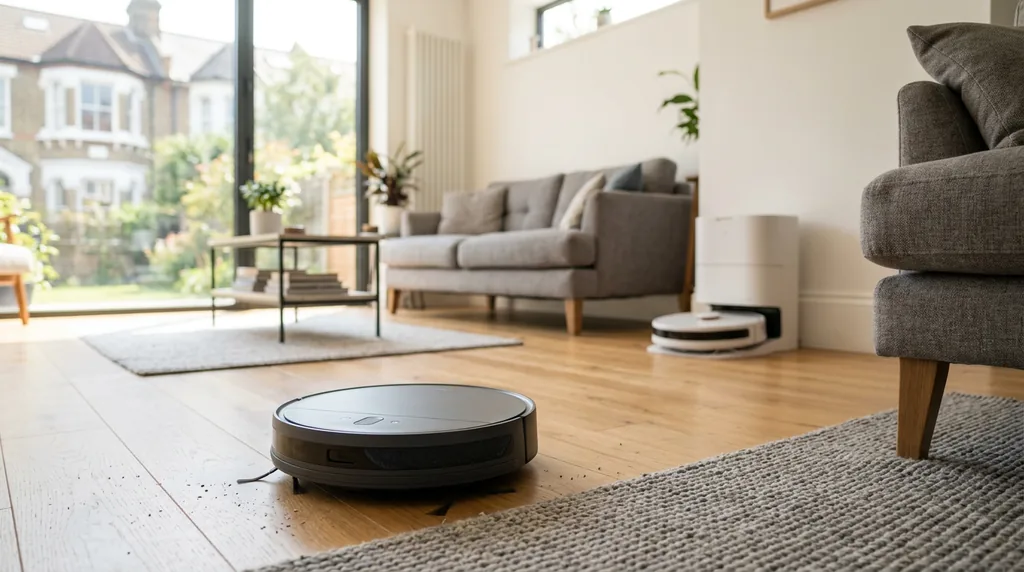
A robot vacuum is one of the few gadgets that genuinely gives you time back. But the market has become genuinely confusing: prices run from £120 to well over £1,400, the spec sheets are a wall of numbers that mostly do not matter, and the difference between a machine that quietly earns its keep and one that lives under the sofa gathering dust comes down to about five decisions.
This guide walks through all of them — the types, the budget bands, the specifications worth paying for, the ones that are pure marketing, what it costs to run, and which brands are actually worth your money in the UK. It is deliberately long because this is a purchase people get wrong, and the wrong choice is an expensive mistake.
The 60-second answer
If you want the short version:
- Mostly hard floors, small-to-average home, tight budget: a £200–£350 LiDAR model with a rubber brush will do 90% of what a £900 one does.
- Pets, or a house with lots of carpet: spend £450–£700 and prioritise a self-emptying dock and a tangle-resistant brush. This is the single biggest quality-of-life upgrade.
- Large home, hard floors you actually want mopped properly: £700–£1,100 gets you a full "omni" dock that washes and dries the mop pads itself.
- Under £200: buy one only if you accept it will bump around semi-randomly and you will still need to vacuum properly once a week.
Everything below explains why.
First, an honest question: do you actually need one?
A robot vacuum is not a replacement for a proper vacuum cleaner. Anyone telling you otherwise is selling something. What it replaces is the daily maintenance pass — the sweeping up of crumbs, dust, hair and general floor debris that otherwise accumulates between weekly cleans.
That is genuinely valuable. A home where the floors get vacuumed every single day feels noticeably cleaner, and you will find yourself doing the big weekly clean less often because there is less to pick up. But you will still want a corded or cordless stick vacuum for stairs, upholstery, skirting boards, car interiors and the deep clean.
Robot vacuums suit you best if you have:
- Reasonably open floor space on at least one whole floor of the house
- Pets that shed, or people in the house who shed
- A tolerance for a small amount of upfront setup and occasional maintenance
- The discipline to keep floors relatively clear of cables, socks and small toys
They suit you least if your home is a maze of small rooms with high thresholds, if the floors are permanently covered in clutter, or if you live in a flat small enough that a stick vacuum does the whole place in six minutes. Our honest verdict on whether robot vacuums are worth it goes into this in more detail with the real-world caveats.
The six types of robot vacuum
The market splits into six broad tiers. Understanding which tier you need is more important than any individual spec.
1. Bump-and-run (random navigation)
The cheapest machines, typically £100–£200. They have no mapping at all — they set off in a straight line, hit something, turn, and repeat. Given enough time they cover most of a room by sheer persistence.
They work acceptably in a single open room and are genuinely useful as a "run it under the dining table after dinner" tool. In a multi-room home they are frustrating: they miss areas, repeat others endlessly, and cannot be told where to go. There is no app map, so no zone cleaning, no no-go zones, no room selection.
2. Gyroscope navigation
Around £150–£280. These use an internal gyroscope and wheel odometry to clean in rows rather than randomly. The result is far more efficient coverage and a rudimentary map in the app.
The weakness is drift: with no external reference, positional errors accumulate over a long run, so the map degrades and coverage gets patchy in larger homes. Fine for a flat or a small terraced house; wobbly beyond that.
3. LiDAR navigation (the sweet spot)
From roughly £200 upwards, and this is where most people should start. A spinning laser turret on top of the machine builds a genuinely accurate map of your home, usually on the first run. You get room-by-room cleaning, virtual no-go zones, multi-floor maps, and efficient row-by-row coverage with no drift.
LiDAR also works in the dark, which camera-based navigation does not. For a UK home with several rooms, LiDAR is the feature that turns a robot vacuum from a toy into an appliance. If your budget allows one upgrade over the basics, make it this one.
4. Vacuum-and-mop combination
Most mid-range and above machines now include mopping. Be clear about what this means: it is a damp microfibre pad dragged across the floor. It is excellent at removing the light film of dust and footprints that builds up on hard floors, and largely useless on dried-on spills or sticky patches.
Better systems add real value. Vibrating or "sonic" pads scrub at high frequency. Dual spinning discs apply downward pressure and genuinely scrub. Pad-lifting mechanisms raise the mop when the robot detects carpet, which is essential if you have a mix of hard floor and rugs — without it you are dragging a wet pad across your carpet.
5. Self-emptying dock
From about £400. The dock contains a vacuum that sucks the robot's small onboard bin into a larger bag or bin, usually holding 6–10 weeks of debris.
This is, for most households, the most transformative feature on the list — more than mopping, more than raw suction. A robot without one needs its bin emptied every one to three days, and that small chore is the single most common reason people stop using their robot vacuum. If you have pets, treat this as close to essential. Our guide to self-emptying robot vacuums for pet hair covers the trade-offs, including the noise and the ongoing bag cost.
6. Full "omni" or all-in-one docks
From around £650, rising past £1,400. These docks empty the bin, refill the robot's clean water tank, wash the mop pads with clean water, drain the dirty water into a separate tank, and blow-dry the pads with warm air so they do not go mouldy. Premium versions add hot-water washing and automatic detergent dosing.
If mopping matters to you, this tier is where mopping stops being a gimmick. The cost is size — these docks are large, roughly the footprint of a kitchen bin and often 40–60cm tall — and you need somewhere to put them, ideally near a socket and not in a hallway you walk through at night.
| Type | Typical UK price | Best for | Main limitation |
|---|---|---|---|
| Bump-and-run | £100–£200 | One open room, tiny flats | No map, no control, patchy coverage |
| Gyroscope | £150–£280 | Flats, small houses | Map drifts over larger areas |
| LiDAR | £200–£600 | Most UK homes | Turret adds ~9cm height |
| Vac + mop | £250+ | Hard floors, kitchens | Basic pads only wipe, not scrub |
| Self-emptying | £400–£800 | Pets, busy households | Loud emptying cycle, bag costs |
| Omni dock | £650–£1,500 | Large hard-floor homes | Big footprint, needs a permanent home |
What you get at each budget band
Under £200
Bump-and-run or basic gyroscope navigation, small bins, modest suction, no self-emptying. Some claim mopping via a clip-on water tank, which amounts to dragging a damp cloth.
Buy in this band only if you have one open room, or if you want a supplementary machine for a kitchen. Do not expect it to manage a whole house unsupervised. The most common owner complaint at this price is not poor cleaning — it is having to rescue the robot from under furniture.
£200–£400
This is where robot vacuums become genuinely useful. Expect LiDAR mapping, app control with room selection and no-go zones, respectable suction, and a basic mopping pad. Some models at the very top of this band add a self-emptying dock, usually by cutting corners elsewhere.
For a flat or a two- or three-bedroom house with mostly hard floors and no pets, a good £300 machine is arguably the best value in the entire category. You will empty the bin every couple of days, and that is the main compromise.
£400–£600
Self-emptying docks become standard, mopping gets better (vibrating pads, sometimes pad-lifting), obstacle avoidance improves from "bumps into things" to "steers around most things", and suction reaches the level where carpet is properly cleaned rather than skimmed.
For a family home with pets and a mix of flooring, this band is the value sweet spot. You are paying for the features that reduce your involvement, which is the whole point.
£600–£900
Full omni docks arrive: mop washing, mop drying, water refill. Navigation gets a camera-plus-AI layer that reliably dodges cables, socks and pet mess. Mopping moves to dual spinning discs with real downward pressure. Brush designs become properly tangle-resistant.
This is the band to target if you have a large home, a lot of hard flooring, and you genuinely want the floors mopped rather than wiped.
£900–£1,300
Hot-water mop washing, warm-air drying, automatic detergent dosing, extendable side brushes and mop arms that reach into corners and along skirting, higher suction, longer battery life, and mechanisms that let the robot climb small thresholds. Some models can raise their chassis to clear a 4cm doorway strip.
The cleaning result is better than the band below, but by a smaller margin than the price gap suggests. You are largely buying convenience and edge-case competence.
£1,300 and above
Flagship models. Expect every feature above plus genuinely clever engineering — robotic arms that move obstacles, multi-level threshold climbing, dual-brush systems, and app software that is a generation ahead. Lovely if the budget is there, but nobody needs one, and the incremental cleaning benefit over a good £800 machine is small.
The specifications that actually matter (and the ones that do not)
Suction in Pa: mostly marketing
Every listing shouts a pascal figure — 8,000Pa, 15,000Pa, 22,000Pa. Treat these with scepticism. There is no standardised test behind them, manufacturers measure them differently, and the numbers have inflated far faster than real-world performance has improved.
Suction matters, but only to a point, and only in combination with brush design, airflow sealing and brush-to-floor contact. A well-designed 6,000Pa machine with a good rubber brush will out-clean a badly designed 12,000Pa one on carpet every time. Above roughly 5,000Pa, extra pascals mostly buy you a louder machine and shorter battery life.
What to do instead: look at independent testing rather than the spec sheet. Which?'s robot vacuum reviews run standardised pick-up tests that are far more informative than any manufacturer figure.
Navigation: the spec worth paying for
As covered above, LiDAR is the dividing line. Below it, you are buying a machine that guesses where it is. Above it, you are buying one that knows.
The second navigation layer is obstacle avoidance — usually a forward-facing camera with structured light or a 3D sensor. Cheap machines will happily drive through a phone charging cable and wrap it round the brush. Good ones recognise cables, shoes, socks and pet waste and steer around them. If you have children, or a dog, this feature pays for itself the first time it avoids a disaster.
Brush type: rubber beats bristles
This is the most under-discussed spec and one of the most important, especially in the UK where long hair and pet hair are the main challenge.
Traditional bristle brushes trap hair, which wraps round the roller and has to be cut off with scissors every few weeks. Rubber or silicone multi-surface brushes shed hair far more readily. The best current designs add a comb or blade that actively cuts hair as it winds on, and some use a tapered spiral so hair migrates to one end and gets sucked into the bin.
If anyone in the house has long hair or you own a shedding dog, prioritise a tangle-resistant rubber brush over almost any other feature. Our guide to the best robot vacuums for pet hair covers which designs hold up.
Mopping systems, ranked
- Static damp pad — a cloth dragged behind the robot. Removes light dust film. Barely counts as mopping.
- Vibrating / sonic pad — oscillates thousands of times per minute. Noticeably better on kitchen floors.
- Dual spinning discs — two rotating pads with downward pressure. Genuinely scrubs.
- Spinning discs with pad lifting and self-washing dock — the only setup that keeps the pads clean during a run rather than spreading dirty water around.
Critically, check whether the mop lifts when the robot crosses carpet, and by how much. A 7mm lift clears a thin rug; a 10–12mm lift clears most medium pile. Machines that only "avoid carpet while mopping" will refuse to vacuum those areas during a mop run, which means running two separate jobs.
Height: the spec people forget
Measure the clearance under your sofa, bed, kitchen units and TV stand before you buy. LiDAR turrets typically make a robot 9.5–10.5cm tall. If your furniture has 9cm of clearance, that expensive LiDAR machine will not fit underneath, and the areas that most need robotic cleaning are exactly the ones you cannot reach yourself.
Camera-navigation models are usually 7.5–8.5cm and some LiDAR models now use a retractable or side-mounted turret to get under 9cm. It is worth checking this before anything else on the spec sheet.
Battery and coverage
Most mid-range machines quote 120–180 minutes, which is plenty for a typical UK home. Modern robots recharge and resume automatically, so a long run is split into two passes rather than abandoned. Battery capacity therefore matters far less than the marketing suggests — unless you have a very large home and want the whole thing done in one uninterrupted session.
Bin, dust bag and water tank capacity
The onboard bin is typically 200–400ml. With a self-emptying dock the dock bag is 2.5–4 litres, which is six to ten weeks for most homes. Clean water tanks in omni docks run 3–4 litres, enough for roughly 200–300m² of mopping before a refill.
| Spec | How much it matters | What to look for |
|---|---|---|
| Navigation | Critical | LiDAR mapping, plus camera obstacle avoidance if budget allows |
| Brush design | Critical with pets or long hair | Rubber/silicone, anti-tangle comb or blade |
| Self-emptying dock | High (quality of life) | 2.5L+ bag, reasonable replacement bag price |
| Robot height | High (fit is binary) | Measure your lowest furniture first |
| Mop lift height | High on mixed flooring | 10mm or more for medium-pile carpet |
| Suction (Pa) | Moderate, heavily overstated | 5,000Pa+ is ample; ignore the arms race |
| Battery life | Low (recharge and resume) | 120 minutes is enough for most homes |
| App software | Underrated | Room editing, schedules, per-room settings |
Flooring: the factor that decides everything
Hard floors
Laminate, engineered wood, vinyl and tile are where robot vacuums excel. Debris sits on the surface, there is nothing for the brush to fight, and mopping works. If your ground floor is entirely hard flooring, even a mid-range machine will keep it genuinely clean.
The two things to watch are gaps between floorboards, where a side brush can flick debris rather than collect it, and gloss finishes, where cheap mop pads leave streaks.
Carpet
This is where cheap machines fall down. Short-pile and loop-pile carpet is fine for most robots. Medium pile needs decent suction and a brush with real agitation. Deep pile and shag carpet defeat almost everything — the robot either bogs down, gets stuck, or skims the surface without lifting embedded grit.
Most mid-range and above machines have carpet boost, which detects carpet and ramps suction up. It works, at the cost of noise and battery. If your home is predominantly carpeted, set expectations accordingly: a robot is a maintenance tool for surface debris, and you will still need an upright for the deep clean. Our piece on whether robot vacuums actually work on carpet covers this honestly.
Rugs and thresholds
Rugs with tassels are the classic robot vacuum enemy — the fringe gets pulled into the brush and the machine stops. Either tuck the tassels under, or set a no-go zone around the rug in the app.
Threshold strips between rooms are the other common obstacle. Most machines climb around 2cm; some newer ones manage 4cm or more with a chassis-lifting mechanism. If your house has raised door bars, measure them. A robot that cannot cross into the hallway is only cleaning one room.
Pets and allergies
Pets are the single strongest reason to own a robot vacuum, and also the reason to spend more than you planned.
A shedding dog or cat puts a continuous supply of hair onto the floor. A daily robot run keeps that under control in a way weekly vacuuming simply cannot. But pet households need three specific things:
- A self-emptying dock. Pet hair fills a 300ml bin quickly. Emptying it daily is exactly the chore you bought the robot to avoid.
- A tangle-resistant rubber brush. Non-negotiable. Bristle brushes with pet hair mean scissors every fortnight.
- Good obstacle avoidance. Anyone who has come home to a robot that has driven through a dog mess and mapped it across the house will tell you this is worth every penny.
On allergies, sealed filtration matters more than the filter grade printed on the box. A HEPA-rated filter is worthless if the machine leaks unfiltered air around the edges of the filter housing. Look for the phrase "fully sealed system", and be aware that the self-emptying cycle is the moment dust is most likely to escape — docks with sealed bags handle this far better than bagless docks, which can puff fine dust back into the room when you empty them.
Dust mites in carpet and soft furnishings are a common trigger, and while a robot helps keep floor-level allergens down, it is only one part of the picture. The NHS guidance on allergies is a sensible starting point if that is your main motivation. If you are buying primarily because of a pet, the RSPCA's dog care advice is worth a read on grooming, which reduces shedding at source and does more for your floors than any vacuum.
What it actually costs to run
Robot vacuums are cheap to run in electricity terms and more expensive than people expect in consumables.
Electricity
A typical robot draws 30–60W while cleaning and the dock uses a few watts on standby, with a short high-power burst during self-emptying. Running daily for around an hour and a half, most machines consume roughly 30–50kWh a year including dock standby and charging losses.
At the current Ofgem energy price cap rates, that works out at only a few pounds a year — genuinely negligible against almost any other appliance in the house. Our detailed breakdown of robot vacuum running costs in the UK shows the maths.
Consumables — the real cost
This is what catches people out. Filters, brushes, side brushes, mop pads and dust bags all wear out.
| Item | Replace every | Typical annual cost |
|---|---|---|
| Dust bags (self-emptying dock) | 6–10 weeks | £15–£35 |
| Filter | 3–6 months | £10–£20 |
| Main brush | 6–12 months | £12–£25 |
| Side brush | 3–6 months | £6–£12 |
| Mop pads | 3–6 months | £10–£20 |
| Electricity | — | £3–£8 |
| Total per year | — | £55–£120 |
Two practical points. First, check the price and availability of consumables for the specific model before you buy — some brands charge a heavy premium and some obscure imports have no parts supply at all after a year. Second, a bagless self-emptying dock removes the bag cost entirely, at the price of a dustier emptying experience.
Battery replacement
Expect the battery to hold usefully less charge after roughly three to five years of daily use. On mainstream brands a replacement pack is £30–£60 and usually user-replaceable with a screwdriver. On some sealed premium models it is a service job. It is worth a thirty-second search for "[model] battery replacement" before committing to an expensive machine.
Maintenance: what you actually have to do
Robot vacuums are low-maintenance, not no-maintenance. A machine that is never maintained cleans progressively worse and then fails, and the owner concludes that robot vacuums are rubbish.
| Task | How often | Time |
|---|---|---|
| Clear floors before a run | Each run | 1 min |
| Empty bin (no dock) | Every 1–3 days | 1 min |
| Check brush for tangles | Weekly | 2 min |
| Wipe sensors and cliff sensors | Fortnightly | 1 min |
| Rinse or tap out the filter | Fortnightly | 2 min |
| Empty dirty water, refill clean (omni) | Weekly | 2 min |
| Clean the dock tray / mop wash basin | Monthly | 5 min |
| Replace dust bag | 6–10 weeks | 1 min |
Two things people neglect and then regret: the cliff sensors, which when dusty cause the robot to reverse away from perfectly normal floor, and the mop wash basin in omni docks, which will smell if it is left to sit with dirty water in it.
The brands, honestly assessed
Model ranges change constantly, so treat this as a guide to what each brand tends to be good and bad at rather than a verdict on any specific machine.
Roborock
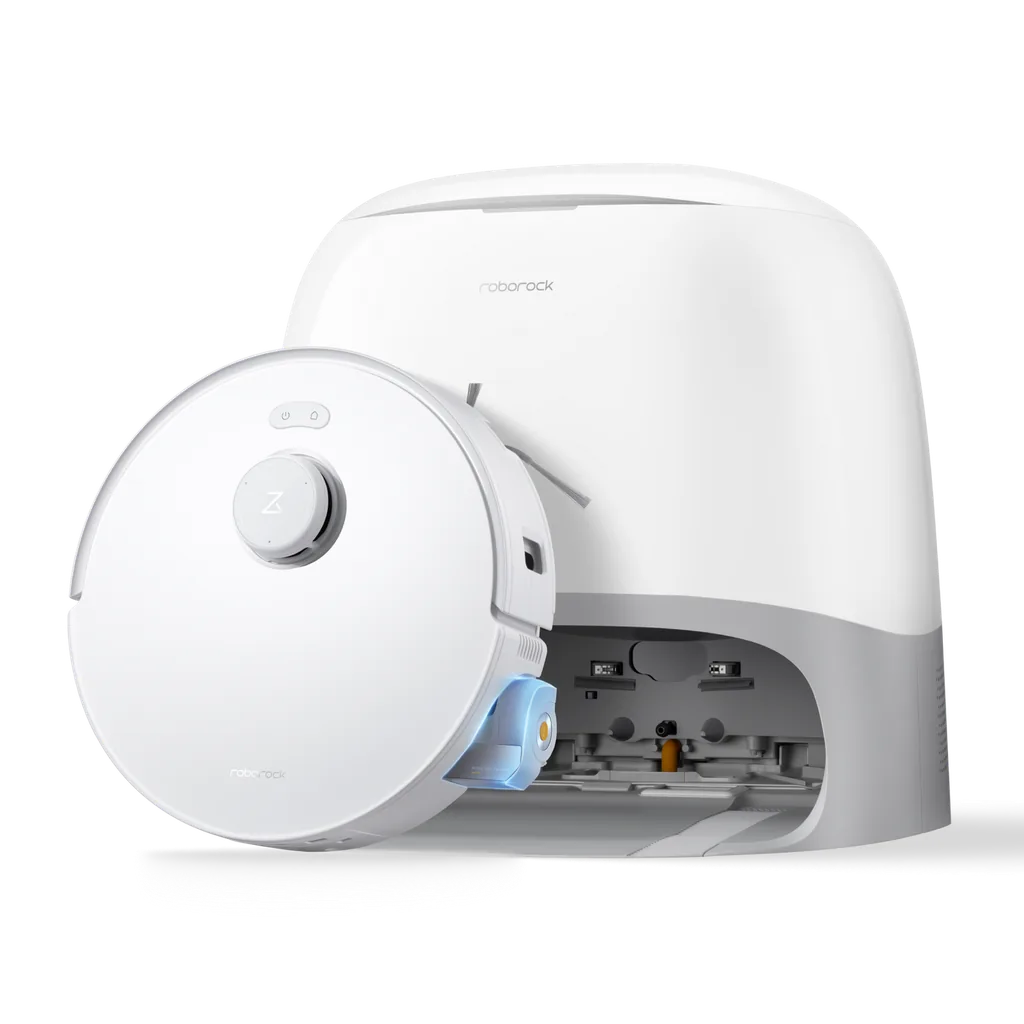
Consistently the strongest all-rounder. Excellent navigation, mature and reliable app software, strong mopping systems, good build quality, and a wide range from around £250 to well over £1,200. Parts availability in the UK is good. The downside is price: Roborock rarely offers the best value on paper, and you tend to pay a premium for the badge and the software polish.
Dreame
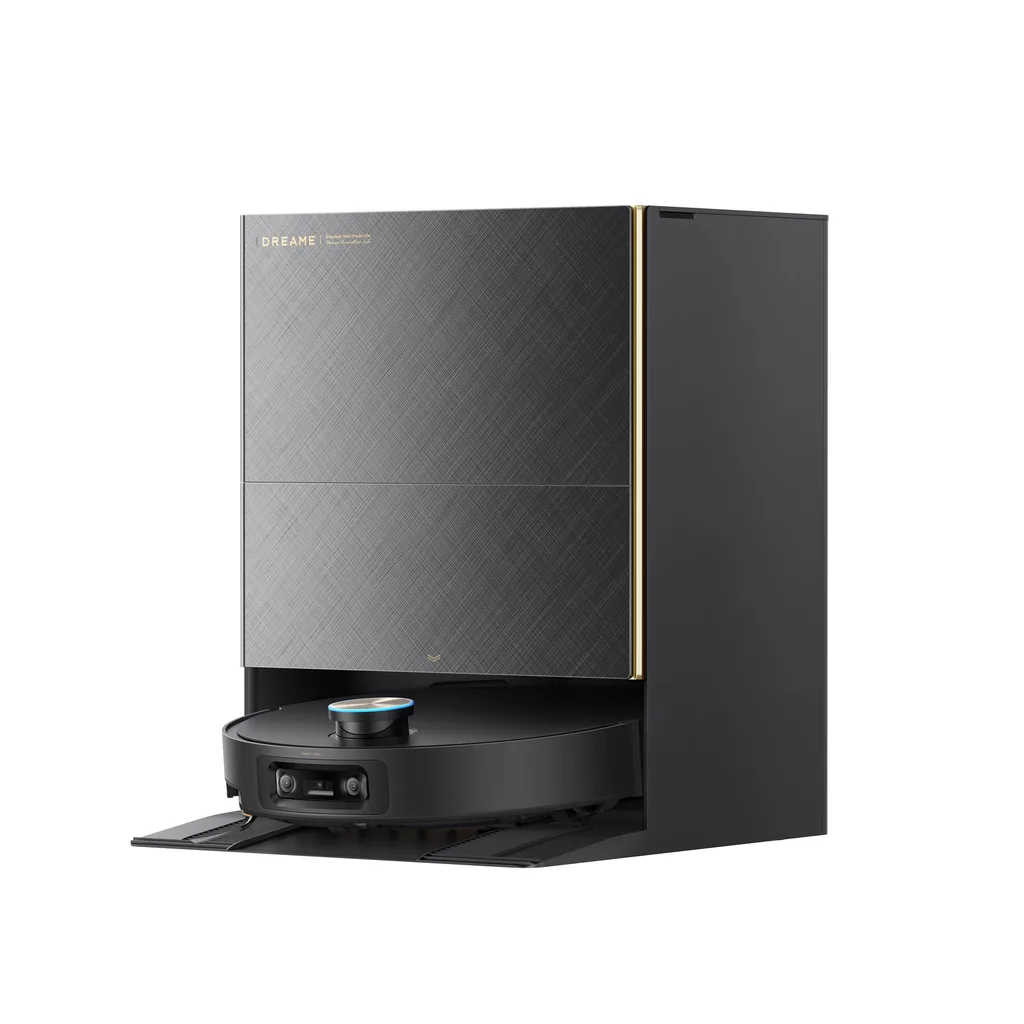
The most aggressive on features for the money. Dreame machines frequently offer omni-dock capability, high suction and clever mechanics at prices below equivalent Roborock models. The app is capable but historically a little less refined, and UK aftersales support has been more variable. Very strong value if you are comfortable with that trade-off.
ECOVACS
Strong mid-to-upper range with good mopping and some of the better obstacle-avoidance systems. The Deebot range is well established in the UK. App reliability has improved a lot, though some users report more frequent firmware quirks than with Roborock.
eufy (Anker)
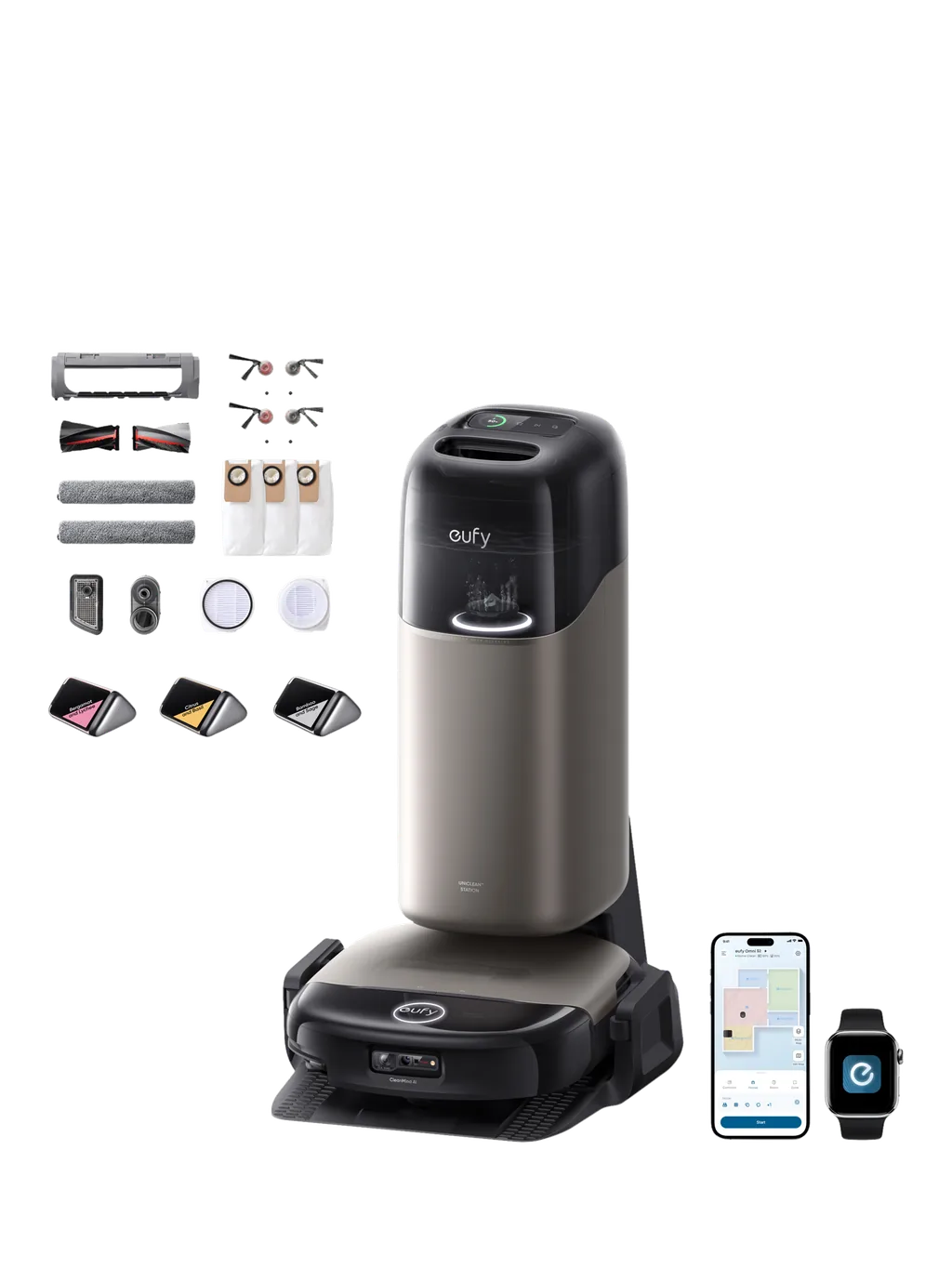
Excellent value, especially at the budget and lower-mid end, with a reputation for reliability and straightforward apps. Historically weaker on high-end mopping and top-tier navigation, though recent omni models have closed much of that gap. A sensible first robot vacuum brand.
iRobot (Roomba)
The brand that created the category. Strong on carpet — the dual rubber roller system is genuinely effective — and the build quality and UK support network are good. The trade-off is that iRobot has lagged on mapping sophistication and mopping compared with the Chinese brands, and models often cost more for fewer headline features. The company has also had well-publicised financial difficulties, which is worth factoring in if long-term parts supply matters to you.
Shark
Very well distributed in the UK, frequently discounted, and strong on carpet and anti-tangle brush design. Navigation and mopping generally sit a tier below Roborock and Dreame at the same price. A solid choice if you want a high-street brand with easy returns and reliable spares. Our Shark vs Roborock comparison goes through this head to head.
Budget imports (Lefant, Proscenic, Honiture and similar)
Can represent real value, particularly for a supplementary machine or a small flat. The risks are parts availability after a year or two, app quality, and firmware support. Buy from a seller with a proper UK returns process and check that consumables are readily available before committing.
Eight mistakes people make buying a robot vacuum
- Buying on suction figures. The pascal arms race tells you almost nothing about real cleaning performance.
- Not measuring furniture clearance. A 10cm robot cannot clean under a 9cm sofa, and that is precisely where the dust lives.
- Skipping the self-emptying dock to save £100. This is the feature that determines whether you are still using the machine in six months.
- Expecting it to replace a proper vacuum. It replaces the daily pass, not the deep clean or the stairs.
- Buying a mopping model for a carpeted house. If 80% of your floors are carpet, you are paying for a feature you will use in one room.
- Ignoring where the dock will live. Omni docks are large, need a socket, need clearance either side, and are not attractive. Decide the location before you buy the machine.
- Not checking consumable costs. An £80-a-year parts bill on a £250 machine changes the value calculation considerably.
- Buying a bristle brush with pets or long hair in the house. You will spend the next two years cutting hair off a roller with scissors.
A four-question decision framework
If you answer these honestly, the right machine narrows down quickly.
1. What are your floors?
Mostly hard floor: prioritise mopping quality and pad washing. Mostly carpet: prioritise suction, brush design and carpet boost, and ignore mopping entirely. Genuinely mixed: prioritise mop lifting, and check the lift height.
2. Do you have pets or long hair?
If yes, a self-emptying dock and a tangle-resistant rubber brush move from nice-to-have to essential, which realistically puts your floor at around £400.
3. How big is the home, and how many rooms?
One or two open rooms: a £200–£300 LiDAR machine is ample. Three or more bedrooms over one level: £400–£700. Large home with lots of hard flooring you want properly mopped: £700+.
4. How much involvement will you tolerate?
This is the question that actually decides your budget. Every price step up buys you fewer interventions — fewer bin emptyings, fewer rescues from under the sideboard, fewer tangled brushes, fewer dirty mop pads to rinse. If you are the sort of person who will happily spend five minutes a week on maintenance, you can spend far less. If you want to genuinely forget about it, spend more.
The bottom line
For most UK households the sensible answer is a LiDAR model with a self-emptying dock and a rubber anti-tangle brush, somewhere between £400 and £700. That combination handles the overwhelming majority of real homes, keeps your involvement to a few minutes a week, and avoids paying a large premium for edge-case cleverness.
Spend less if you have a small flat with hard floors and no pets. Spend more if you have a large house, a lot of hard flooring, and you genuinely want the mopping done properly rather than approximately. Whatever you spend, measure your furniture clearance first and check the brush design second — those two things will predict your satisfaction better than any number on the box.
Planning to buy in the November sales? Our robot vacuum Black Friday guide covers sensible sale prices by tier and the model-code traps, and our Black Friday deals hub explains how to check whether any deal is genuine.
Frequently asked questions
How much should I spend on a robot vacuum in the UK?
For most homes, £400–£700 is the sweet spot. That buys LiDAR navigation, a self-emptying dock, decent mopping and a tangle-resistant brush — the features that determine whether you keep using the machine. Below £200 you are buying a supplementary gadget rather than an appliance. Above £900 you are mostly paying for convenience features and edge-case competence rather than materially better cleaning.
Do robot vacuums work well on carpet?
On short and medium pile, yes — a decent mid-range machine with carpet boost will keep surface debris and pet hair under control very effectively. On deep or shag pile, no: the robot will either struggle to move or skim the surface. A robot handles daily maintenance on carpet; you will still need an upright or cylinder vacuum for the deep clean.
Is a self-emptying dock worth the extra money?
For most households, it is the best £100–£150 you can add to the budget — more valuable than extra suction or better mopping. Without one you empty a small bin every one to three days, and that chore is the most common reason people abandon their robot vacuum. With pets it is close to essential. The trade-offs are a noisy emptying cycle and £15–£35 a year in bags.
How much electricity does a robot vacuum use?
Very little. A typical machine uses roughly 30–50kWh a year including charging and dock standby, which at current price-cap rates comes to only a few pounds annually. Consumables — bags, filters, brushes and mop pads, typically £55–£120 a year in total — cost far more than the electricity.
Can a robot vacuum replace my normal vacuum cleaner?
No, and you should not buy one expecting it to. It replaces the daily floor maintenance, which is genuinely valuable and means your floors are cleaner day to day than they would otherwise be. But it cannot do stairs, upholstery, curtains, skirting boards, corners properly, or a deep carpet clean. Plan to keep a stick or upright vacuum alongside it.
Do robot vacuums get stuck often?
It depends heavily on price and on your home. Cheap machines with no obstacle avoidance get stuck regularly — on cables, rug fringes, socks, thresholds and under low furniture. Mid-range and above machines with camera-based obstacle avoidance are dramatically better, and most modern robots can free themselves from minor snags. A tidy floor makes the biggest difference of all: two minutes of picking things up before a run prevents almost every rescue.
Is the mopping function on robot vacuums actually any good?
It depends entirely on the system. A static damp pad is little more than a dust wipe. Vibrating pads are noticeably better on kitchen floors. Dual spinning discs with downward pressure genuinely scrub, and when paired with a dock that washes and dries the pads mid-run, the result is close to a proper mop for everyday dirt. None of them will shift dried-on or sticky spills — that still needs a hand.
How long does a robot vacuum last?
With regular maintenance, a decent machine should give five to seven years of daily use. The battery is usually the first thing to degrade, typically after three to five years, and on most mainstream models it is a £30–£60 user-replaceable part. Brushes, filters and mop pads are routine consumables. The main risk to longevity is not wear but parts supply, which is why buying from an established brand with UK distribution matters.